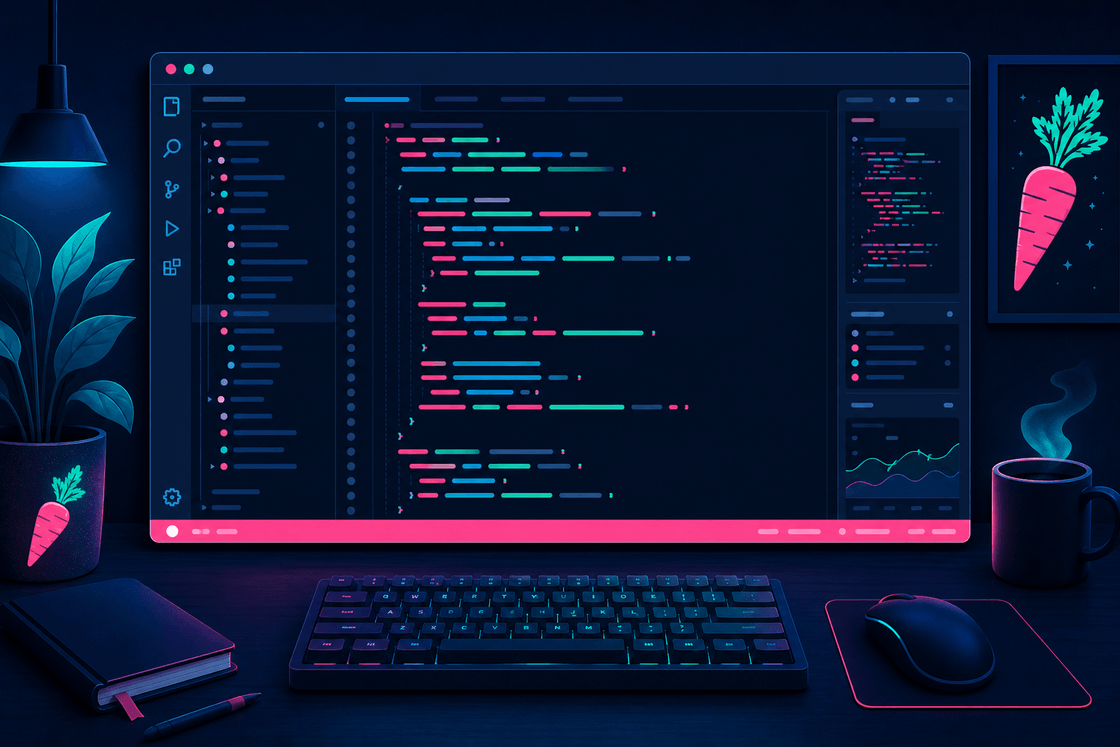
Give VS Code a stronger point of view.
Carrot Gay Theme adds dark navy surfaces, bright accents, and a louder visual identity for developers who are tired of editors that look politely interchangeable.
- Product Type
- Visual Studio Code theme extension
- Best For
- Developers who want a bolder editor palette with usable contrast
- Pricing
- Free
- Install Surface
- Visual Studio Marketplace
Your editor does not have to look like a tax portal.
Default themes blend together
Editors often end up looking neutral enough that nothing about them feels distinct or memorable.
Personality vs usability tradeoff
Bold themes can look great in screenshots and then become exhausting after an actual coding session.
Workbench surfaces matter too
A theme should shape more than syntax colors if the whole editor experience is going to feel coherent.
Keep the editor expressive without turning it into visual nonsense.
Add visual personality
Make the editor feel recognizable at a glance instead of quietly interchangeable.
Keep coding comfort
The theme is still meant to survive real sessions across actual files and languages.
Style the whole workbench
Tabs, panels, sidebars, and status surfaces all contribute to the overall feel.
The difference is not subtle, and that is the point.
- The editor feels more generic and less distinctive.
- Workbench surfaces blend into the same familiar defaults.
- Theme personality often comes at the expense of comfort.
- The workspace feels louder, more recognizable, and more intentional.
- The visual identity carries through more of the interface.
- The theme still stays usable for real development sessions.
Best for people who want their editor to stop looking anonymous.
Daily coding work
Use it as a normal full-time theme rather than a one-screenshot novelty.
Bold interface preferences
A fit for developers who like stronger accent colors and a more opinionated palette.
Pride-coded visual identity
A playful option for people who want something more expressive than default dark themes.
Carrot Gay Theme, without the one-line pitch.
A VS Code Theme With A Point Of View
Carrot Gay Theme is for developers who are tired of editors that all look politely interchangeable.
It gives VS Code a stronger visual identity while still staying usable for normal work.
Why It Exists
This is a theme for people who want the editor to feel distinct at a glance, not just technically functional.
That means bold accents, recognizable workbench surfaces, and enough contrast to remain practical in real sessions.
Good Fit
Carrot Gay Theme is a good fit if you:
- want a dark VS Code theme with more personality
- like bright accent colors
- still need something usable across actual daily development
Get It
The usual questions before you repaint the editor.
Is Carrot Gay Theme free?
Yes. It is available as a free theme extension for VS Code.
Does it only change syntax colors?
No. It also styles broader workbench surfaces like tabs, panels, sidebars, and the status bar.
Is it still usable for real development?
Yes. The whole point is to be more expressive without becoming exhausting to work in.
Ready for an editor with more personality?
Install Carrot Gay Theme from the Visual Studio Marketplace and give your workspace a louder point of view.